Language: English · 日本語
CatchTable is the app Koreans use to book restaurants and join waitlists, and its global version lets visitors do the same without a Korean phone number. If you want a seat at a Michelin restaurant, a busy omakase counter or a famous spot with a long line, this guide walks you through sign-up, deposits, remote waitlists and the mistakes that trip people up.
These days, many popular restaurants in Korea take guests only through reservations or a waitlist, and some no longer accept walk-ins at all. So it’s worth setting the app up before your trip.
Quick Answers at a Glance
| Question | Short answer |
|---|---|
| Which app? | CatchTable Global, listed as “CATCHTABLE : Book Restaurants” on the App Store. The website is catchtable.net. |
| Korean phone number needed? | No. Sign up with Google, Apple or an email address. |
| Payment | Deposits are paid with a card issued outside Korea. |
| Languages | English, Japanese, Chinese and more. Visit Korea lists 20 languages in 2026. |
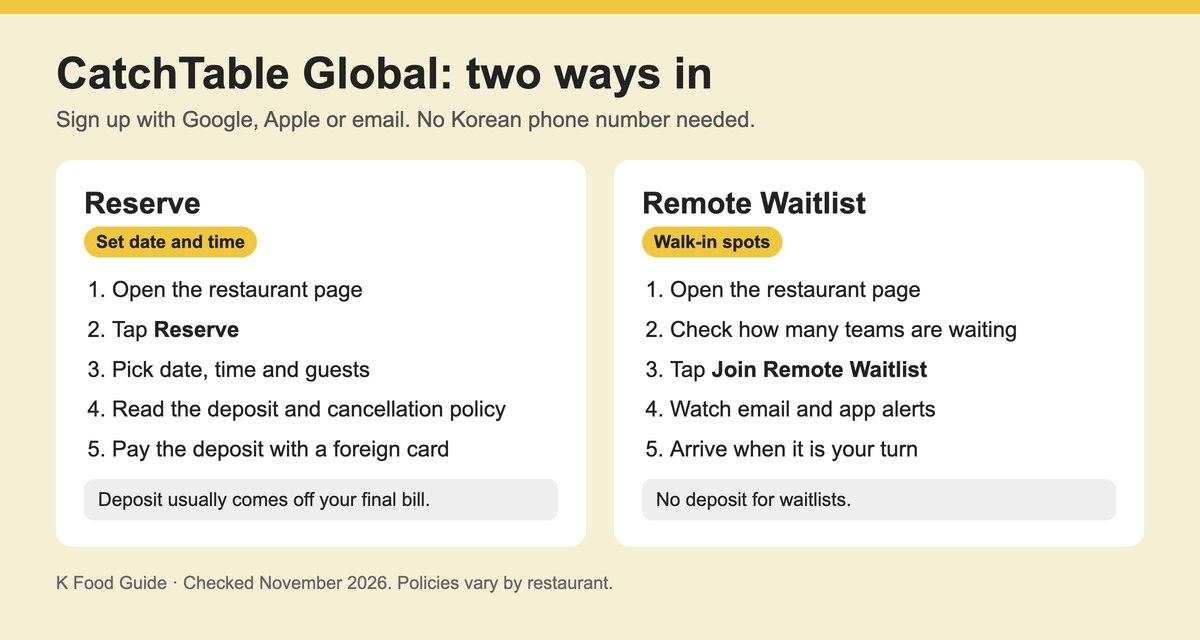
| What you can do | Book a time slot, join a remote waitlist, or see how to queue on site. |
| Deposits | Many reservation-only restaurants ask for one. Waitlists have no deposit. |
| Where it works | Seoul, Busan, Jeju and other regions. |
CatchTable vs CatchTable Global: Get the Right App
First, note that there are two separate apps, and downloading the wrong one is the most common mistake. The Korean app is built for residents, and sign-up asks for a Korean mobile number (010). The global version was made for foreign visitors instead. You sign up with an email, Google or Apple account, and booking alerts arrive by email and app notification rather than text message.
You can get it from the App Store or Google Play, or use the official website. Then check that the listing is the global one before you install.
One more thing to know: not every restaurant on the Korean app appears in the global version. Restaurants have to apply to be listed there, according to CatchTable’s own guide for restaurant owners. So if a place is missing, it may simply not have opted in yet.
How to Sign Up for CatchTable Without a Korean Number
- Install CatchTable Global and open it.
- Choose Google, Apple or email sign-up. You can skip the Korean number field.
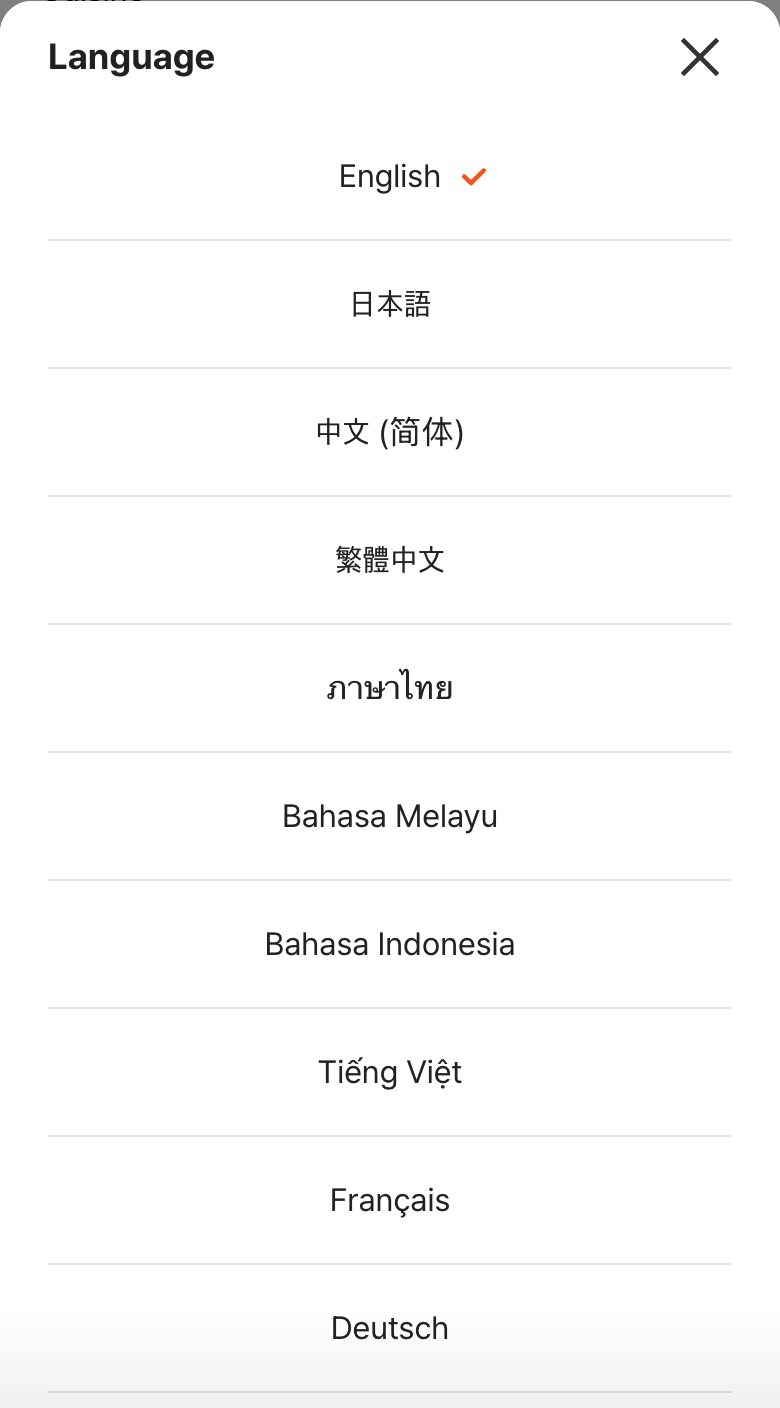
- Pick your language in the app settings.
- Add a phone number you will use in Korea if you have one. It is optional.
- Register your credit card early, so you aren’t stuck on a payment screen when a good slot opens.
How to Book a Restaurant on CatchTable
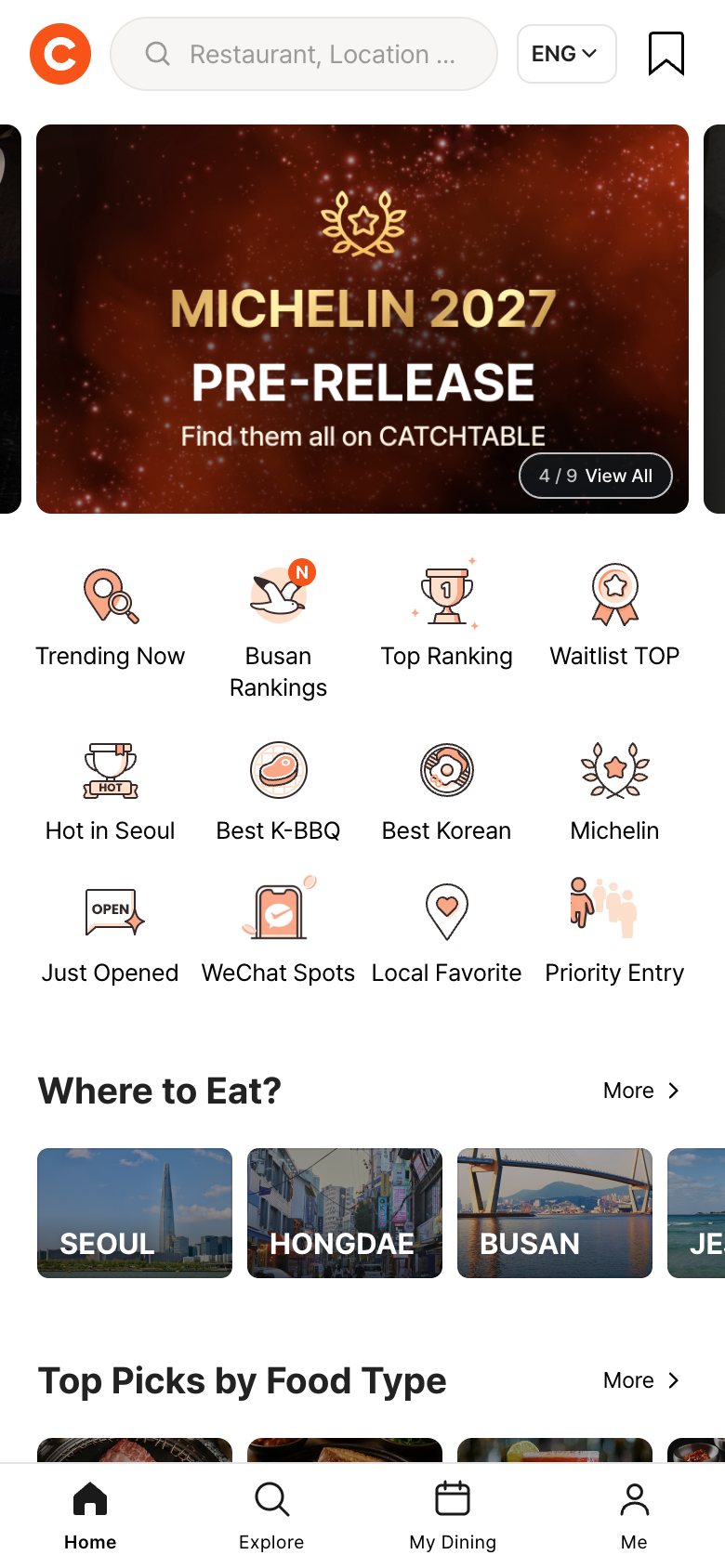
- Search by restaurant name, area or cuisine. The home screen also groups places by themes such as Michelin-starred restaurants.
- Open the restaurant page and tap Reserve. This button only appears if the restaurant takes bookings.
- Choose the date, party size and time.
- Read the deposit and cancellation policy shown for that booking.
- Pay the deposit with your foreign card and wait for the confirmation email.
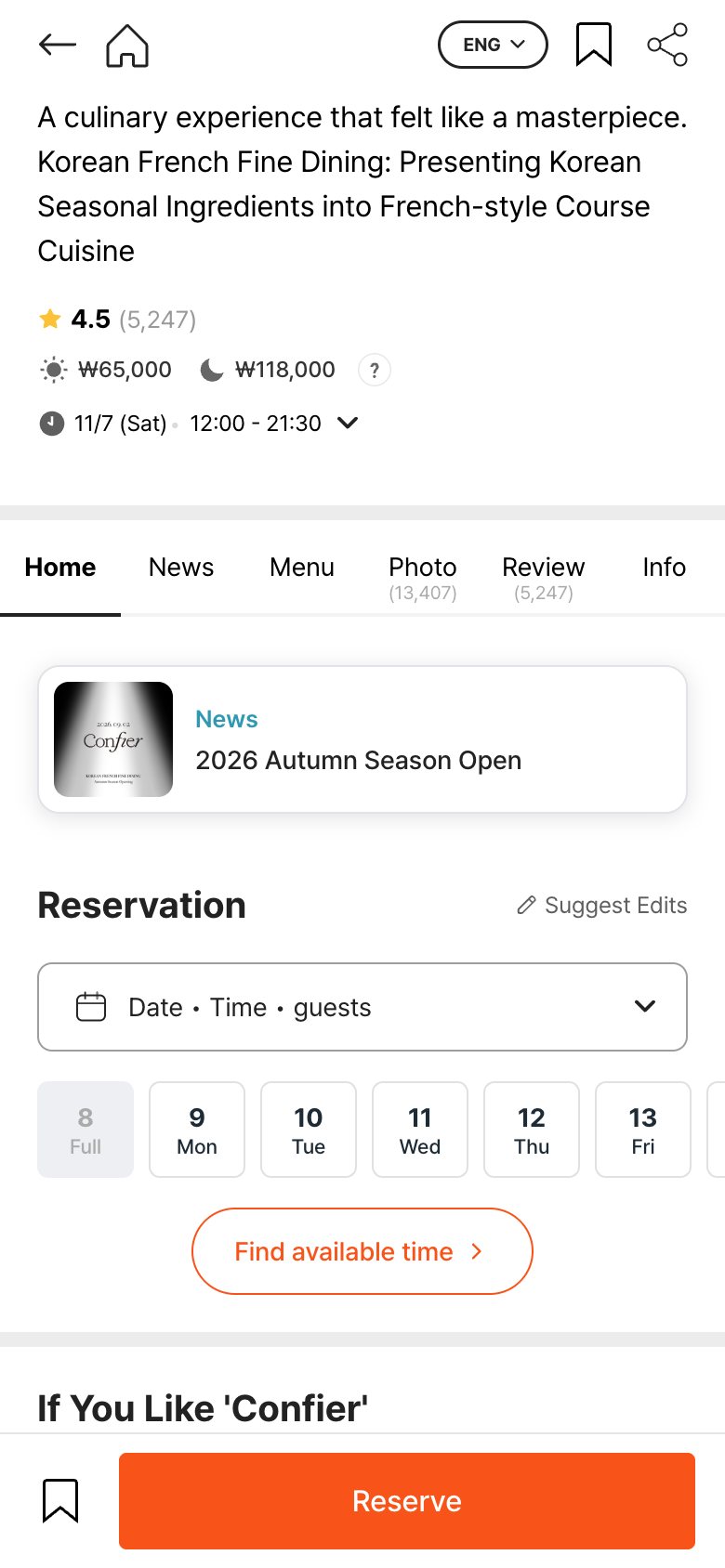
Some restaurants open only certain lunch or dinner times to global bookings, so you may see fewer slots than locals do. If a date looks full, try lunch. At fine dining spots, lunch courses are often cheaper than dinner and can be easier to book. Our Michelin restaurants in Seoul guide and lunch omakase guide list places where that applies.
Remote Waitlist and On-Site Waiting
On the other hand, plenty of famous casual spots don’t take reservations at all. For these, the restaurant page shows a Join Remote Waitlist button with the number of teams waiting in real time. Join from your hotel or a nearby cafe, then watch your email and the app for updates, and get to the door when your turn comes.
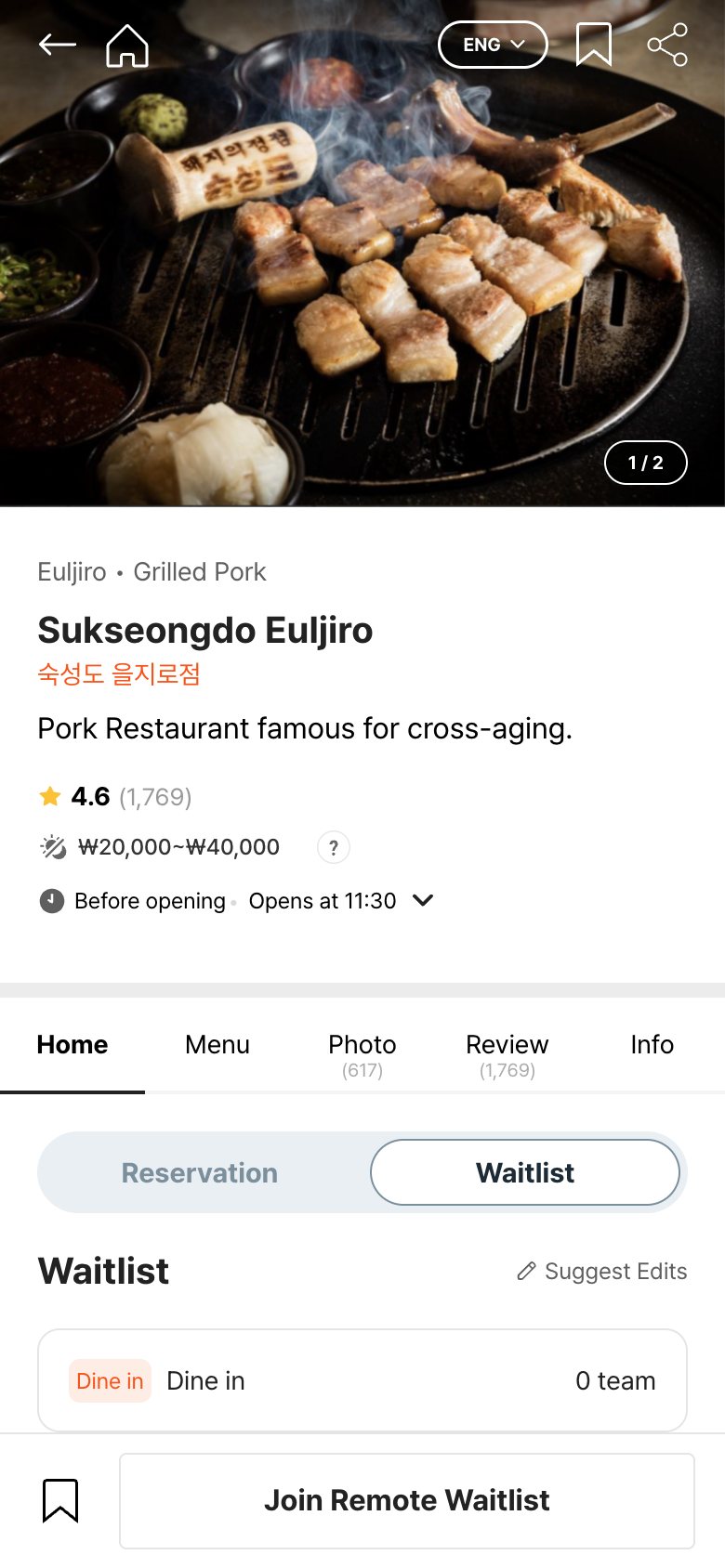
Also, waitlists, whether remote or on site, don’t need a deposit. If you see no waitlist button, the page explains how to queue in person instead. In most cases, that means a tablet or sign-up sheet at the entrance. For lines at food markets, see our Gwangjang Market guide.
Deposits and Cancellations
Many reservation-only restaurants ask for a deposit because no-shows are costly for them. In the global version you pay it with a card issued outside Korea. The deposit normally works as a prepayment, which means it comes off your final bill and you pay only the difference at the restaurant.
Cancellation rules, however, vary by restaurant and by date. CatchTable’s notes for restaurant owners say deposits made through the global version can’t be refunded. So treat the deposit as money you could lose if you cancel or don’t show up, unless the policy on your booking says otherwise.
As for cards, travel guides report that Visa, Mastercard, Amex and JCB cards work. Still, approval depends on your card issuer, and a payment can fail at checkout. Tell your bank you’re traveling, and keep a second card ready just in case.
What the Global Version Can’t Do
- No empty-seat alerts, the feature that tells Korean users when a fully booked slot opens up.
- No option to invite the people you are dining with to the booking.
- Alerts come by email and app notification, not text message.
- Fewer restaurants than the Korean app, because each place has to opt in.
Tips for Booking Popular Restaurants in Korea
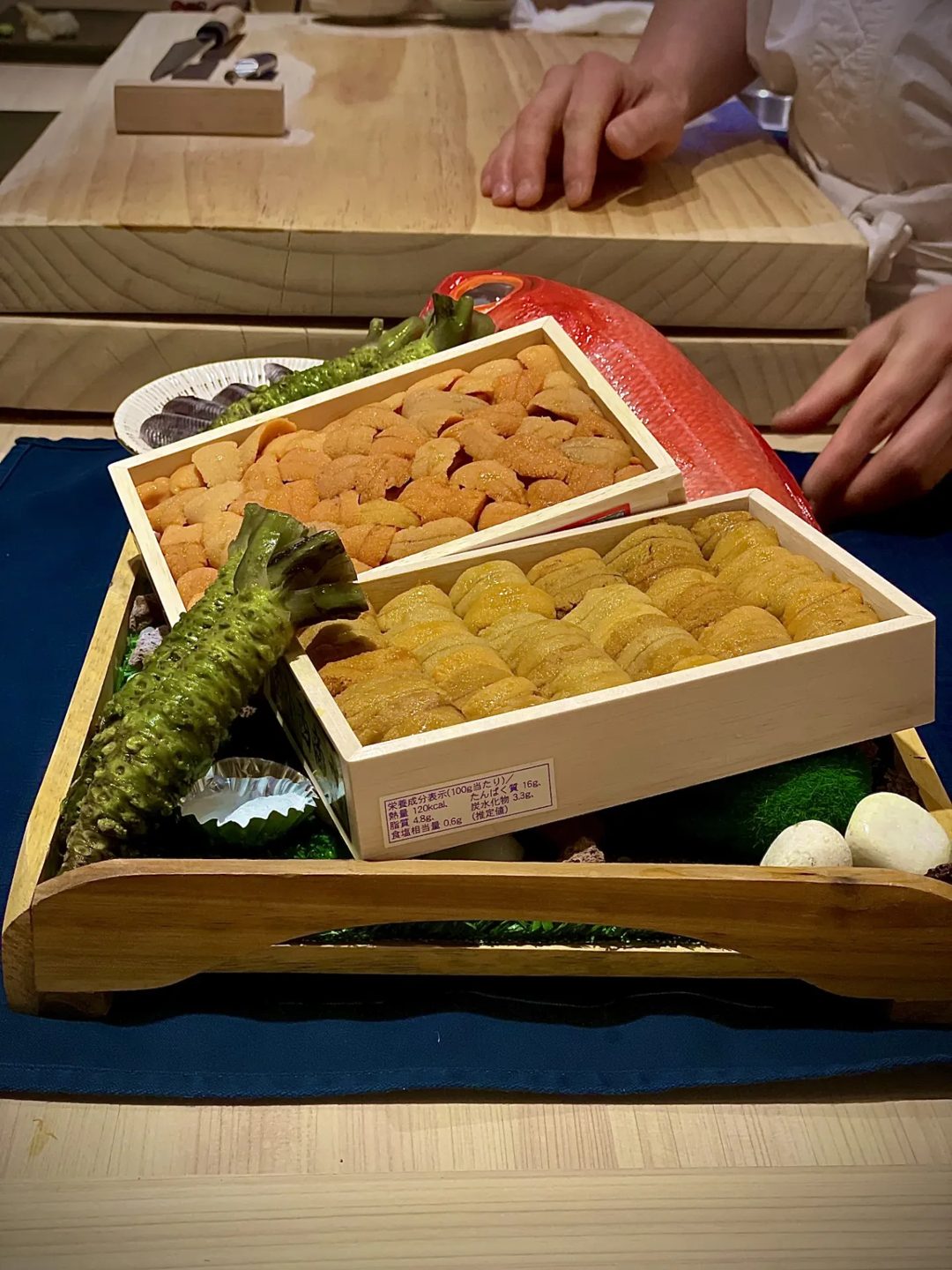
- Book early for fine dining. Michelin-starred restaurants and small omakase counters fill up fast. See our picks in omakase Seoul before you plan dates.
- Be on time. Arriving very late or not showing up can cost you the deposit, depending on the restaurant’s policy.
- Check the restaurant on Naver Map too. Some places take bookings through NAVER Booking instead. Our Naver Map English guide shows how to use it.
- Have a plan B. Some restaurants use other waitlist apps or take bookings only by phone. A hotel concierge can often call for you.
- Know how to order once you sit down. Our guide on how to order food in Korea covers kiosks, tablets and tipping.
Finally, looking for somewhere to book? Start with our best Korean restaurants in Seoul or the Busan fine dining picks.
CatchTable FAQ
Can foreigners use CatchTable?
Yes, through CatchTable Global. You sign up with Google, Apple or email, so no Korean phone number is needed. The app runs in English and many other languages.
Do I have to pay a deposit on CatchTable?
Only for reservations at restaurants that ask for one, and many reservation-only places do. In contrast, remote and on-site waitlists have no deposit. The amount and refund rules depend on the restaurant, so read the policy before you pay.
Why can’t I find a restaurant on CatchTable Global?
Usually it’s because each restaurant has to apply to appear in the global version, so some places are only on the Korean app. Try searching by both the English and Korean names, then check Naver Map for another way to book.
Does the app work in Busan and Jeju?
Yes. Restaurants across Seoul, Busan, Jeju and other regions use it for reservations and remote waitlists.
We checked app features and prices in November 2026, and they can change.