Language: English · 日本語 · 繁體中文
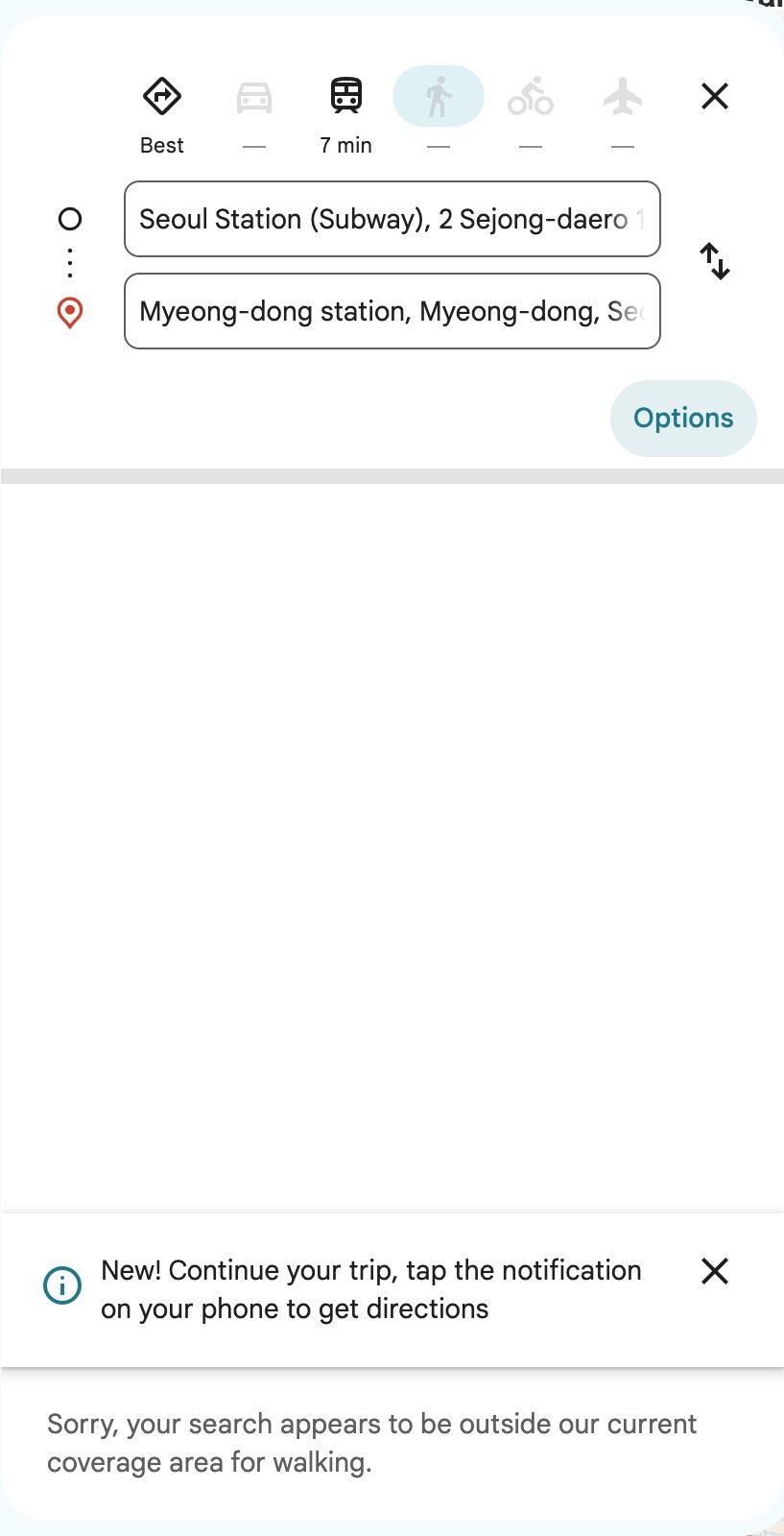
Naver Map English mode is the easiest way for visitors to find restaurants in Korea, because Google Maps still can’t give you walking or driving directions here. This guide shows you how to switch Naver Map to English, search for a restaurant when you can’t read its Korean name, and get to the door on foot or by subway.
We also cover where the app falls short, how Kakao Map compares, and what Google Maps can and can’t do in 2026.
Naver Map English at a Glance
| Question | Short answer |
|---|---|
| Is there an English version? | Yes. The NAVER Map app (네이버 지도) offers Korean, English, Japanese and Chinese map editions, plus English navigation. |
| Do I need a Korean phone number? | Not to search places or get directions. You do need a Naver account to save places. |
| Walking directions? | Yes, along with subway, bus and driving routes. |
| Restaurant reviews in English? | Many Korean reviews can be machine translated with Papago, Naver’s translator. |
| Booking and ordering? | Some places take NAVER Booking. Since June 2026, foreign visitors can verify their identity with a passport. |
| Best backup app? | Kakao Map, which also has walking and transit directions. |
Why Google Maps Doesn’t Work Well in Korea
Korean law limits the export of precise government map data, and turn-by-turn navigation depends on that data. As a result, Google Maps in Korea has shown places, reviews and public transit routes for years, but no turn-by-turn walking or driving directions. The walking parts of a transit route appear only as rough dotted lines.
On February 27, 2026, the Korean government conditionally approved Google’s request to use 1:5,000-scale map data. However, approval is not a launch. Google has said it plans to bring turn-by-turn directions to Korea, but it hasn’t given a date, and independent tests in October 2026 still found no walking or driving routes. So for now, Google Maps is fine for saving pins at home, while Naver Map does the real work on the street.
How to Set Naver Map to English
- Install NAVER Map (published by NAVER Corp.) from the App Store or Google Play. The Korean name is 네이버 지도.
- Open the app and tap MY.
- Tap Settings, then Language.
- Choose English. The map labels and menus switch to the English edition.
Menu names can differ slightly between iPhone and Android versions, so look for the gear icon if you don’t see MY. Also, don’t expect every label to turn English. Big stations, palaces and famous restaurants have English names, but many small shops still show only their Korean name.
If you like to plan on a laptop, the web version at map.naver.com uses the same place data, so you can look up restaurants before you fly.
Finding Restaurants with Naver Map in English
Search by the Korean name when you have it
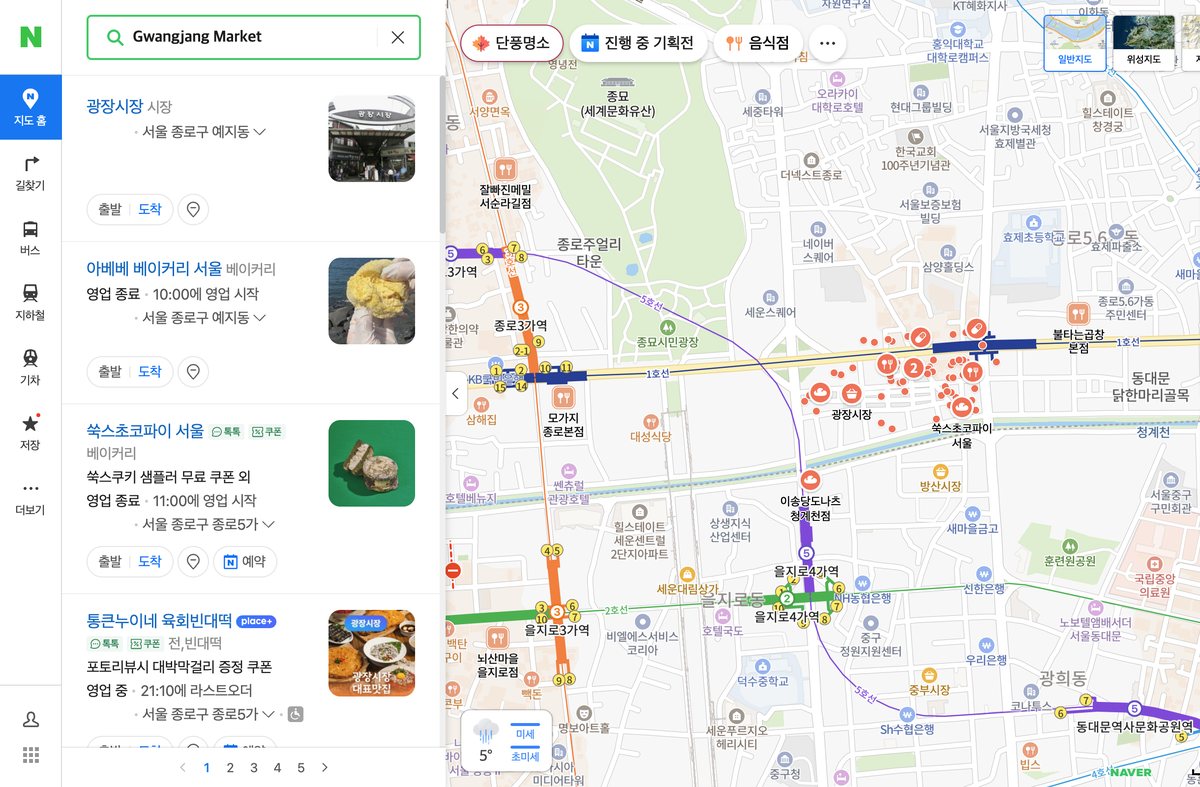
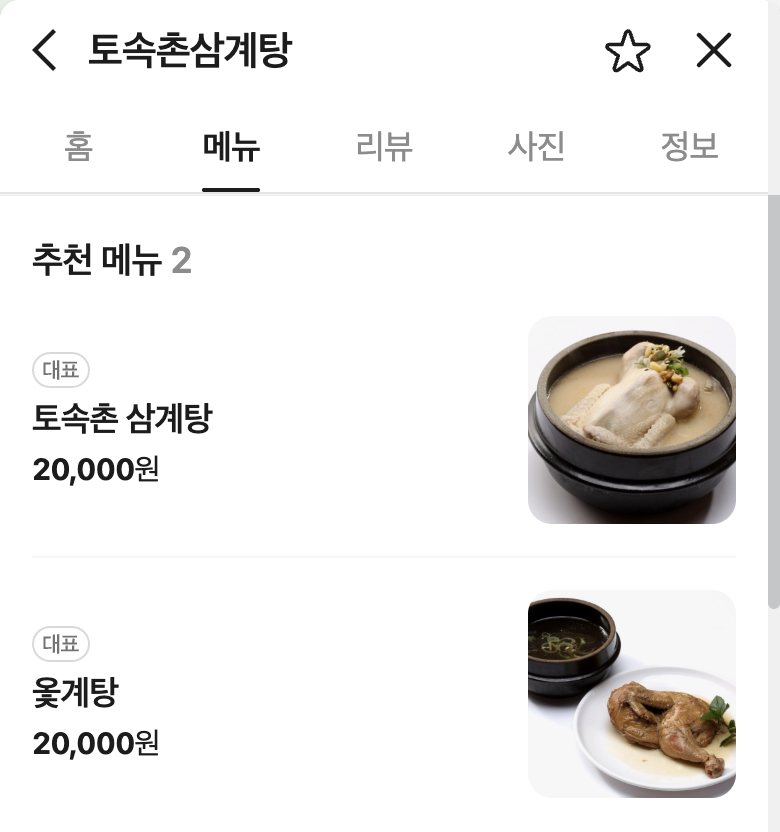
English search works well for landmarks and well-known restaurants. For smaller places, however, copying the Korean name is far more reliable. For example, paste 토속촌 삼계탕 instead of typing “Tosokchon”. That’s why every restaurant in our guides lists its Korean name and a Naver Map link, as in our Tosokchon Samgyetang guide.
Search by dish or area
You can also type a dish or a neighborhood and browse the results on the map. Typing the Korean word (삼겹살 for pork belly, 냉면 for cold noodles) usually brings up more local places than the English word. After that, use the filters to narrow the list. Naver has added English versions of place filters and business details such as opening hours and amenities.
Read the place page before you go
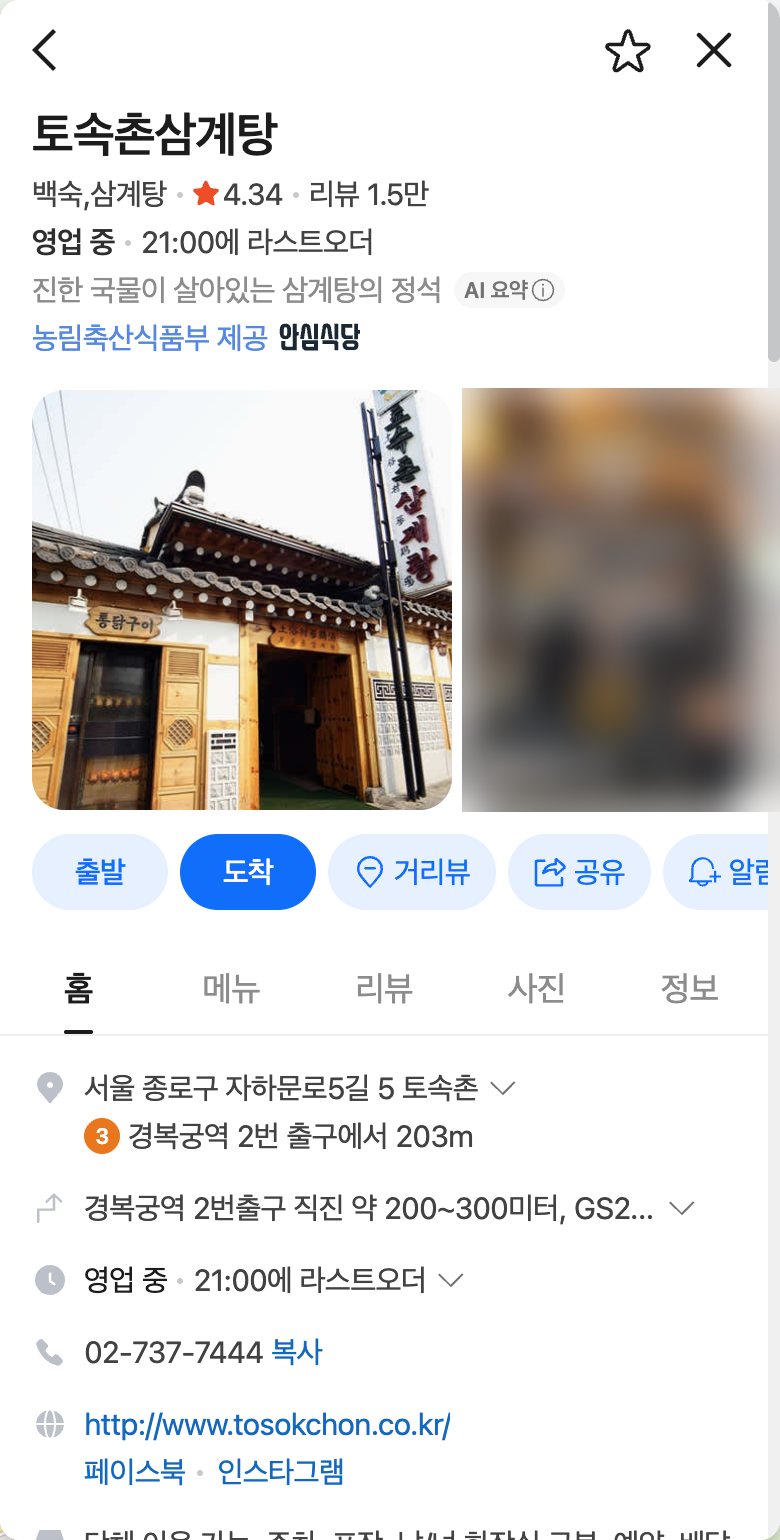
Each restaurant page shows the address, opening hours, menu photos and visitor reviews. Many Korean restaurants close between lunch and dinner, and the hours section often lists this break time and regular closing days. Menu prices on the page can be out of date, so treat them as a rough guide. Finally, use the translate option on reviews to read what locals ordered.
Try the BE LOCAL tab
When your app is set to a non-Korean language, Naver sometimes shows a BE LOCAL tab with places that Korean users save most. In its 2026 campaign (June 5 to July 19), the tab featured around 300 hotspots in Seoul and Busan. It’s a handy shortcut when you have no plan for dinner.
Getting Walking and Subway Directions on Naver Map
- Search for the restaurant and tap Directions.
- Allow location access, or set your hotel as the starting point.
- Choose walking, public transport or car.
- Pick a route. Transit routes show the line, transfer stations and the exit number to use.
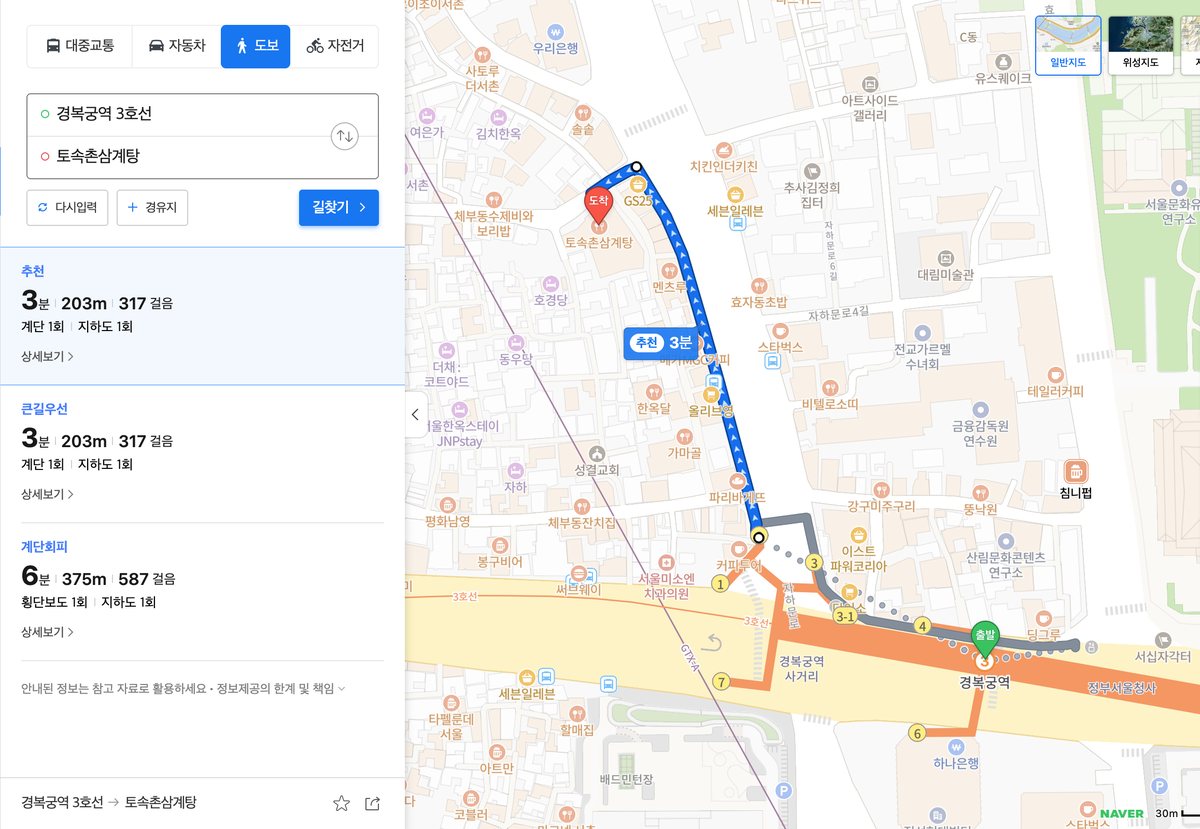
Subway exits in Korea are numbered, and the number is posted at every exit. So even if you can’t read a single sign, you can follow “Exit 4” to the street. Naver also offers live walking guidance that follows you as you move, although Naver has said this works on Android first, with iOS support planned. Since the app is a live service, keep mobile data on while you walk.
Booking and Ordering Through Naver
Some restaurants accept reservations through NAVER Booking, and some shops take orders through NAVER Order, both from the place page. Since June 4, 2026, foreign visitors with a passport issued outside Korea can use Naver’s Passport Verification to unlock booking, ordering and payment in the app.
Many popular restaurants, especially fine dining and omakase counters, use CatchTable instead. Our CatchTable guide explains how to book those without a Korean phone number.
Naver Map vs Kakao Map vs Google Maps
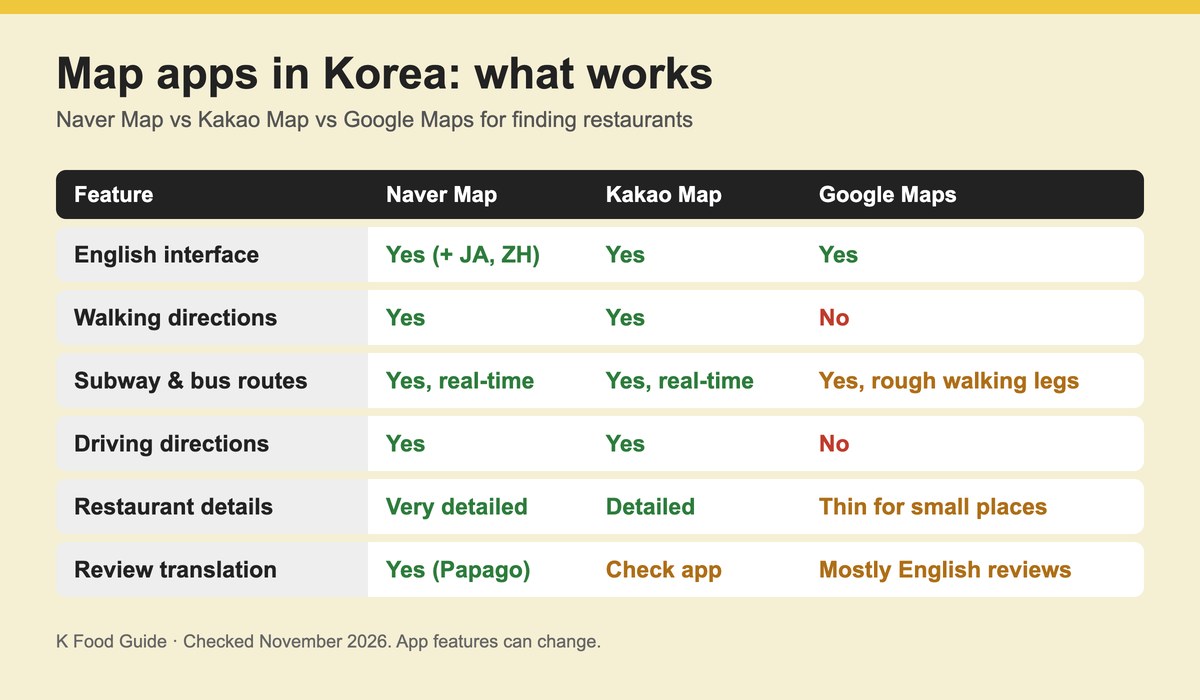
| Feature | Naver Map | Kakao Map | Google Maps (Korea) |
|---|---|---|---|
| English interface | Yes (also Japanese, Chinese) | Yes | Yes |
| Walking directions | Yes | Yes | No (as of November 2026) |
| Subway and bus routes | Yes, with real-time arrivals | Yes, with real-time arrivals | Yes, but walking legs are dotted lines |
| Driving directions | Yes | Yes | No |
| Restaurant details | Very detailed, review translation | Detailed | Good for big places, thin for small ones |
In short, use Naver Map as your main app and keep Kakao Map as a backup. Google Maps is still useful for the lists you saved before the trip.
Common Naver Map Problems and Fixes
- The place doesn’t show up in English. Paste the Korean name, or search the street address. Korea uses road-name addresses, and every place page lists one.
- There are several results with the same name. Check the branch. 본점 means the main branch, and 점 after a place name means a branch.
- The hours look wrong. Check the newest reviews, or call the number on the place page.
- You can’t save places. Log in with a Naver account first.
- Directions start from the wrong spot. Turn on location permission for the app.
Where to Go Next
Once you can find a restaurant, the next step is ordering. Our guide on how to order food in Korea covers kiosks, table tablets, payment and tipping. For ideas on where to eat, start with our best Korean restaurants in Seoul, the Gwangjang Market food guide or the Myeongdong food guide.
Naver Map English FAQ
Is Naver Map available in English?
Yes. Go to MY, then Settings, then Language, and choose English. The app also has Japanese and Chinese editions. However, some small businesses still show only Korean names, so keep the Korean name handy.
Does Google Maps work in Korea in 2026?
Partly. It shows places, reviews and public transit routes, but not turn-by-turn walking or driving directions. Korea approved Google’s map data request with conditions in February 2026, yet no launch date had been announced by November 2026.
Do I need a Korean phone number to use Naver Map?
No. You can search, read place pages and get directions without one. You need a Naver account to save places, and booking or paying through Naver uses passport verification for foreign visitors.
Is Naver Map or Kakao Map better for tourists?
Both give walking and transit directions. Naver Map has more language options and translated reviews, so most visitors start there. Kakao Map is a good backup when a place is missing or a route looks odd.
We checked app features and prices in November 2026, and they can change.